
T-Life
T-Mobile USALifestyle
4.6105.19K Reviews
- Version
- Varies With Device
- Installs
- 10.00M
- Age Rating
- Everyone
Screenshots

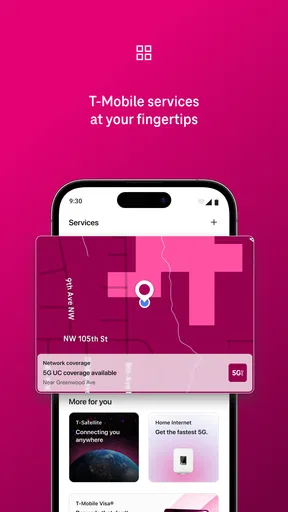
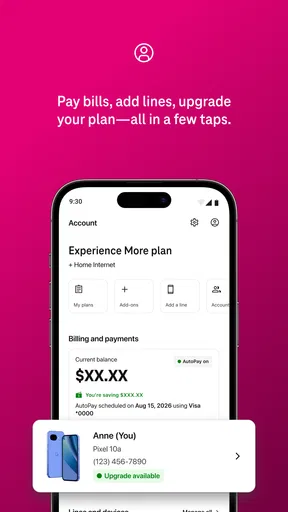
Our Review of T-Life
 Analysis by Appyee
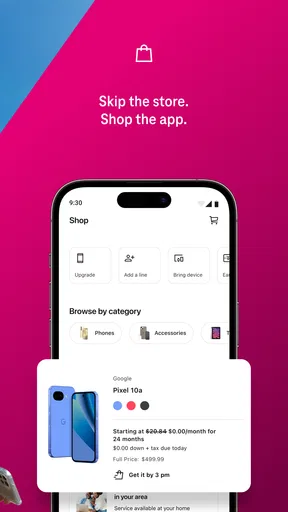
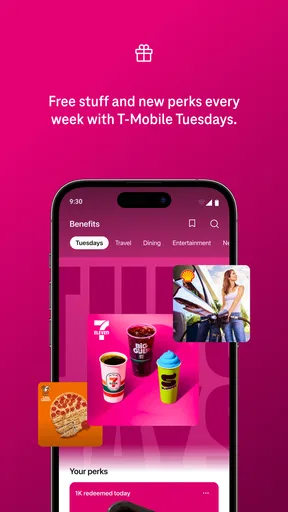
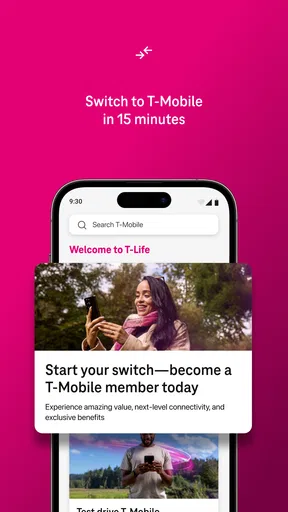
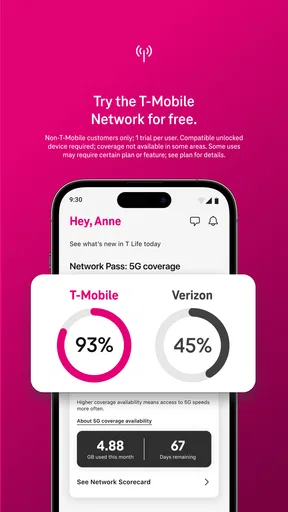
When I judge whether a carrier app deserves a place on my phone, I look beyond convenience: I want to know what it is for, what decisions I can make inside it, and when I should use another route instead. T-Life is T-Mobile USA’s free lifestyle app, and its central appeal is bringing T-Mobile-related tasks into one mobile experience. That focus can make it useful if you already manage your service with the company, but it also sets a clear boundary: it is not a general-purpose lifestyle planner, and it is not a substitute for comparing carriers or handling every account question with a person.
Trust, in this case, is best approached through what a user can actually see and control while using the app, rather than assumptions about privacy or security. I would treat any account, payment, or personal detail as a moment to slow down, read the screen, and confirm that I am taking the action I intended. That is sensible practice for a carrier account in any channel, whether I am using an app, a website, or speaking with support.
Using T-Life with clear expectations
T-Mobile has a large customer base, and the app has an average rating of 4.6 from around 946,000 ratings. Those figures suggest that many people find it useful, but they do not tell me whether a particular account task will be simple or whether the app suits someone who rarely uses mobile self-service. I would see its popularity as a reason to consider trying it, not as a guarantee that every interaction will be smooth.
The app is free and rated for Everyone, which makes trying it straightforward from a cost and age-rating perspective. Still, an account-management app is only useful if you have a reason to use T-Mobile’s services and are comfortable handling relevant tasks on a phone. If you are not a T-Mobile customer, or you prefer to keep carrier matters off your mobile device, its central purpose may not justify installing it.
Know what you are opening
In everyday use, I would approach T-Life as a place to begin or manage T-Mobile-related activity, not as a broad tool for organizing habits, planning a day, or improving general wellbeing. That distinction matters because the app’s short store label is easy to read as vague, while its practical value depends on its connection to T-Mobile. The most useful question before installing is simple: do I want a mobile route for dealing with my T-Mobile relationship?
For a customer who already reaches for a phone to check or handle service matters, one app may be more convenient than searching through separate web pages or keeping multiple shortcuts. The trade-off is that convenience concentrates attention in one place. I would still keep a browser or customer-support route in mind for an issue that is unclear, urgent, or difficult to explain through an on-screen workflow.
What control looks like in practice
I recommend taking a moment during setup and the first visit to look at the choices shown on the screen instead of tapping through automatically. For any app tied to an account, the practical control is the ability to review what you are doing before you submit a change, check the account context, and pause if a request does not make sense. I would avoid treating a familiar-looking interface as a reason to skip those checks.
That habit is especially helpful when more than one person uses a household’s devices or when a phone is shared. Before making an account-related change, confirm that the account displayed is the one you mean to manage and that the action matches your intention. If a screen asks for information you do not expect to provide for the task at hand, stop and verify the request through a channel you trust rather than guessing.
Moments that deserve extra attention
Some app interactions are low-stakes browsing; others can affect an account or involve personal information. I make that distinction before entering details or confirming an action. A quick check of the screen’s wording and the account context is a small cost compared with having to undo a mistake later. This is not a claim about a particular permission or data practice; it is a practical way to stay in control whenever an app is connected to a service account.
Notifications are another place where personal preference matters. I would keep only alerts that help me respond to something I care about, then adjust or silence the rest if they interrupt at the wrong time. The useful trade-off is between staying informed and letting an app claim attention throughout the day. A reminder is helpful only when its timing and purpose work for you.
When another route is better
If I needed help interpreting a confusing account issue, I would not keep tapping through screens just because the app is already open. A support conversation can be a better choice when the situation needs explanation or clarification. Likewise, someone who prefers a larger display or keyboard may find a browser more comfortable for careful reading. The app is most compelling for people who value phone-based access; it is less compelling for users who rarely manage their carrier relationship digitally.
Compared with general lifestyle apps, T-Life has a narrower job. A calendar, habit tracker, or wellbeing app is designed around personal routines; a carrier app is relevant when the user needs to engage with that carrier. I would not choose T-Life as a way to organize unrelated goals, and I would not expect a general planner to replace a carrier’s own account channel. The right alternative depends on the task, not on which app has the broadest-sounding label.
Who is likely to get the most from it?
I can see the strongest case for a T-Mobile customer who prefers to handle routine matters from a phone and wants a direct mobile starting point. It may also suit someone who checks service information occasionally and would rather avoid searching for the correct page each time. On the other hand, a customer who has no need for mobile self-service, dislikes account activity on a phone, or routinely prefers personal assistance may be better served by the company’s other available contact options.
A realistic use case is a customer who remembers an account task while away from a computer. Rather than postpone it or search through old browser tabs, they can open the carrier’s app, confirm they are in the right account, review the available action, and decide whether to proceed. If the screen is unclear, they can stop and use another support route. That last step is important: using an app should give you another option, not pressure you into finishing a task you do not understand.
Getting started with T-Life
First off, downloading T-Life was a breeze. Available for both Android and iOS, you can snag it from your favorite app store. Once you’ve got it on your phone, setting up is pretty straightforward. You’ll be asked a few questions to tailor the experience to your personal needs, which is a nice touch if you're tired of one-size-fits-all solutions.
Features that Stand Out
Alright, let’s get into the good stuff. The app is packed with features that aim to boost your productivity and overall well-being. Think of it as a mix between a planner, a habit tracker, and a motivational coach. You can set goals, track your progress, and even get reminders to keep you on track. One thing I loved is the daily motivation quotes — they somehow always pop up just when I need them!
Customization is another strong suit of T-Life. You can tweak almost everything to fit your lifestyle. Whether you’re a night owl or an early bird, the app adjusts to your schedule, making it super versatile. I found this particularly helpful because, let’s be honest, not everyone thrives on a 5 AM start.
What’s the Experience Like?
Diving deeper, using the app feels like having a chat with a friend who knows exactly what you need. The interface is clean and intuitive, so you won’t be spending ages trying to figure things out. Plus, it’s not just about productivity; there are modules on meditation and mindfulness, which I found a nice way to unwind after a hectic day.
Now, I won’t say it’s perfect. There were a couple of times where the notifications were a bit overzealous, but it’s nothing a little settings tweak can’t fix. The key is to personalize it to suit your flow, and once you do, it kind of becomes an indispensable part of your daily routine.
Final Thoughts
So, is T-Life worth your time? In my opinion, absolutely. Whether you’re looking to crush your goals or just bring a little more structure and positivity into your life, this app is a solid companion. It’s like having a cheerleader in your pocket, and who doesn’t need that?
All in all, if you’re ready to take the plunge into a more organized and mindful lifestyle, give T-Life a shot. It might just be the game-changer you’ve been searching for.
My cautious recommendation
I would recommend T-Life to a T-Mobile customer who wants a mobile way to engage with the company and is willing to review each account action before confirming it. The app is free, and its 10 million-plus installs show that it has reached a broad audience, but neither fact means it is essential for every customer. If you are content using a browser or prefer to resolve account matters with support, there is no need to change a routine that already works for you.
For me, the deciding point is fit rather than a promise that one app can do everything. Treat it as a convenient channel, keep an eye on the choices presented, and move to another route whenever the task becomes confusing or feels too sensitive to handle casually. With that approach, T-Life can be a practical addition for the right customer without becoming something you have to use for every T-Mobile question.
Privacy and Permissions
See what permissions an app requests and how it handles your data.
- Contacts
- read your contacts, modify your contacts
- Location
- approximate location (network-based), precise location (GPS and network-based)
- Phone
- read phone status and identity
- Photos/Media/Files
- read the contents of your USB storage, modify or delete the contents of your USB storage
- Storage
- read the contents of your USB storage, modify or delete the contents of your USB storage
- Camera
- take pictures and videos
- Microphone
- record audio
- Wi-Fi connection information
- view Wi-Fi connections
- Device ID & call information
- read phone status and identity
- Other
- view network connections, pair with Bluetooth devices, access Bluetooth settings, change network connectivity, allow Wi-Fi Multicast reception, connect and disconnect from Wi-Fi, disable your screen lock, control flashlight, full network access, change your audio settings, run at startup, reorder running apps, control vibration, prevent device from sleeping
Verdict
Strengths of T-Life
- User-friendly interface enhances experience.
- Seamless integration with smart devices.
- Comprehensive health tracking features.
- Real-time notifications and updates.
- Customizable settings for personalization.
Limitations of T-Life
- Limited support for older devices.
- Requires constant internet connection.
- Battery usage can be high.
- Occasional app crashes reported.
- Subscription needed for advanced features.
Other Releases by T-Mobile USA
View All
T-Mobile Visual Voicemail
Communication3.1

Protection 360®
Business4.4

T-Mobile® FamilyMode™
Parenting4.4

T-Mobile Prepaid eSIM
Communication3.5
Similar Picks in This Category
View All
SmartThings
Samsung Electronics Co., Ltd.4.6

Google Home
Google LLC4.0

Pinterest4.2

Astrotalk - Talk to Astrologer
Astrology & Horoscope4.7

My Verizon
Verizon Consumer Group4.5

Samsung Wallet (Samsung Pay)
Samsung Electronics Co., Ltd.4.1
Frequently Asked Questions
What is T-Life and what features does it offer?
T-Life is a comprehensive lifestyle management app designed to help users balance their personal and professional lives. It offers features such as task management, calendar integration, habit tracking, and wellness tips. Users can customize their dashboards to focus on priorities, set goals, and receive personalized recommendations to enhance productivity and well-being.
Is T-Life available on both Android and iOS platforms?
Yes, T-Life is available for download on both Android and iOS platforms. Users can access the app through the Google Play Store or the Apple App Store, ensuring compatibility with a wide range of devices. Regular updates are provided to enhance functionality and fix any bugs.
Does T-Life require a subscription or is it free to use?
T-Life offers a free version with basic features that users can enjoy without any cost. However, for access to premium features like advanced analytics, personalized coaching, and ad-free experience, users can opt for a subscription plan. Various plans are available, catering to different user needs and preferences.
How does T-Life ensure user data privacy and security?
T-Life prioritizes user data privacy and security through robust encryption and compliance with international data protection standards. The app does not share personal data with third parties without consent. Users can manage their privacy settings and access detailed information about data handling practices within the app.
Can T-Life integrate with other apps and devices?
Yes, T-Life can integrate with various apps and devices to offer a seamless experience. It supports synchronization with popular calendar apps, fitness trackers, and smart home devices. This integration allows users to consolidate their lifestyle management tools into one cohesive platform, enhancing convenience and efficiency.
